Home

Organized Study Choice & Academic Roadmapper
Plan your semesters, avoid bad module choices, and stop juggling PDFs – directly in Discord.
Made by students for students.
🔍 Search modules by name, CP, SWS & exam type
📅 Build your personal study plan
🗓️ Curriculum preview & comparison
- all in one place -
Why OSCAR?
OSCAR is a Discord-based assistant that helps FIN students at Otto-von-Guericke-University Magdeburg plan their semesters and choose modules by turning complex catalogs, exam regulations, and scattered PDFs into one clear, accessible place.
The Problem
Finding module info as a FIN student is fragmented and time-consuming:
- ❌ Scattered sources — exam regulations (PDFs), module handbook, and LSF portal are all separate.
- ❌ Context switching — students already discuss their study plans on Discord (FinEmporium), then switch to the browser and back.
- ❌ Screenshot chaos — module details are shared as images in chat instead of structured data.
- ❌ Inefficient planning leading to suboptimal module choices.
The OSCAR Solution
OSCAR meets students where they already are — on Discord:
- ✅ One Platform: search modules, filter by CP/SWS/exam type, and plan semesters without leaving Discord.
- ✅ Up-to-date: Synced with official faculty data.
- ✅ Focused scope — FIN modules only, no unreliable AI integrations, fewer but better features.
- ✅ Privacy-first — study plan stays local. No messages stored, no profiles, no analytics.
Choose Your Path
Your Personal Study Assistant
Plan your studies where you chat: OSCAR brings the official module catalog to Discord, helping you build your academic roadmap with ease.
Data Accuracy & Scope
The bot syncs module data regularly from the faculty's Nextcloud. However, always verify exam details in the official LSF/Prüfungsamt documents.
OSCAR is for personal planning only. You must still register for courses, exams, and events through official platforms such as LSF, e-learning portals, or other university websites. OSCAR does not replace any official registration process.
Features
-
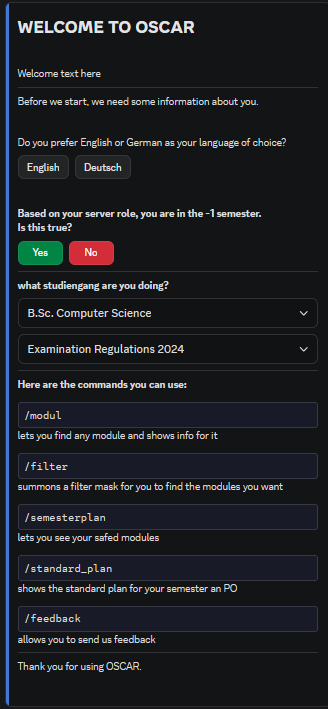
🚀 Get Started --- Set up your course of study and semester. An interactive wizard guides you through the process.
-
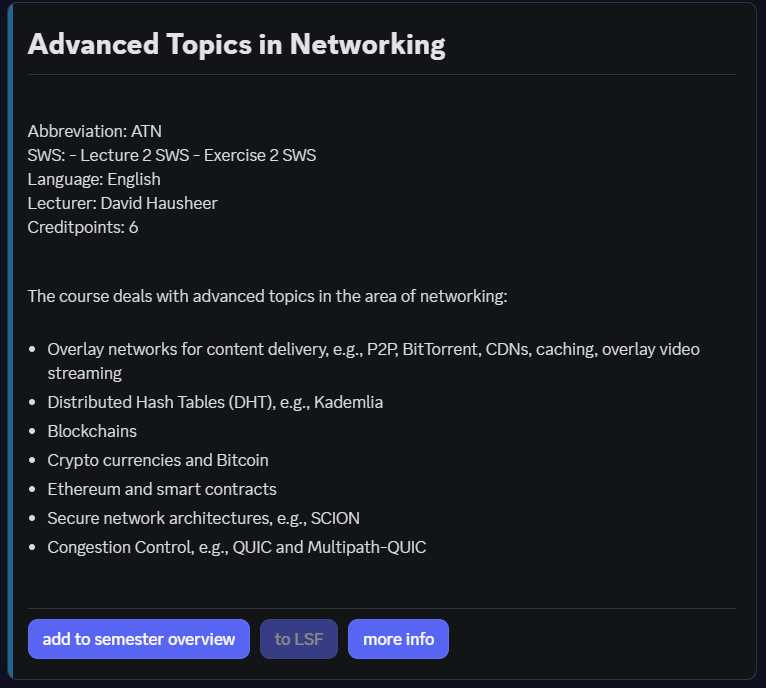
🔍 Find Modules --- Credit points (CP), exams and course content, with buttons to the LSF, the module handbook and the past exams. In a module channel
/hereopens the module the channel is named after.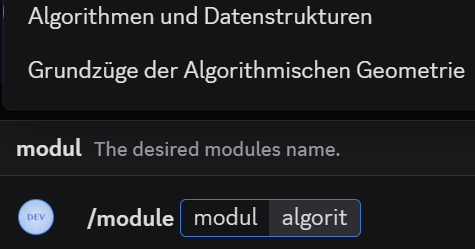
-
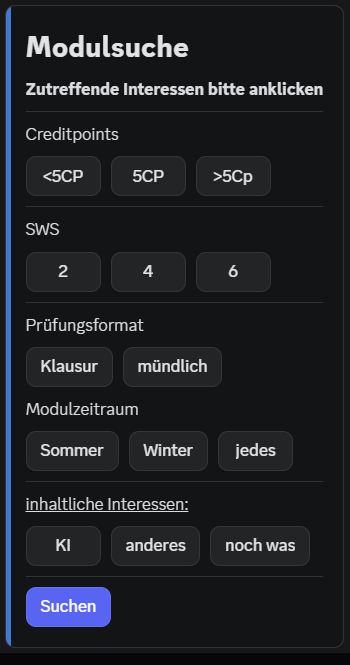
🎯 Smart Filters --- Find modules that fit your CP, SWS, or Exam Type preferences.
-
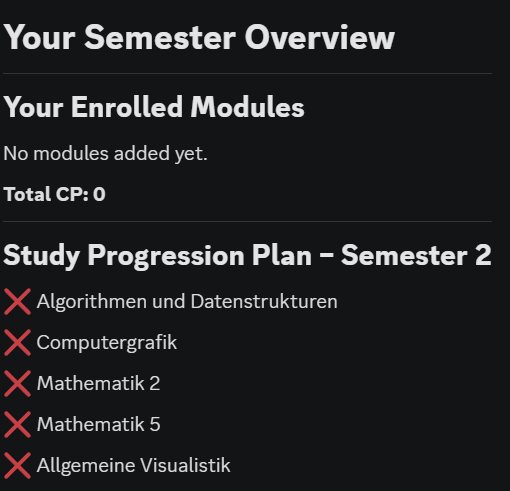
📅 Plan Semesters --- Create, customize, and save your personal study roadmap.
-
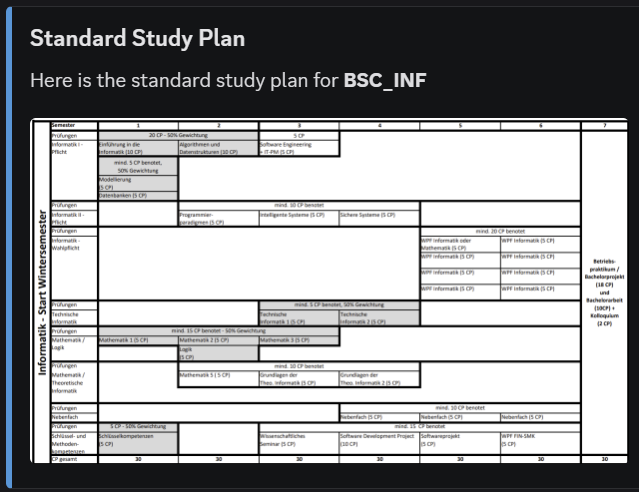
🗓️ Standard Curriculum --- View the official Regelstudienplan for your degree – see which modules are planned per semester at a glance.
-
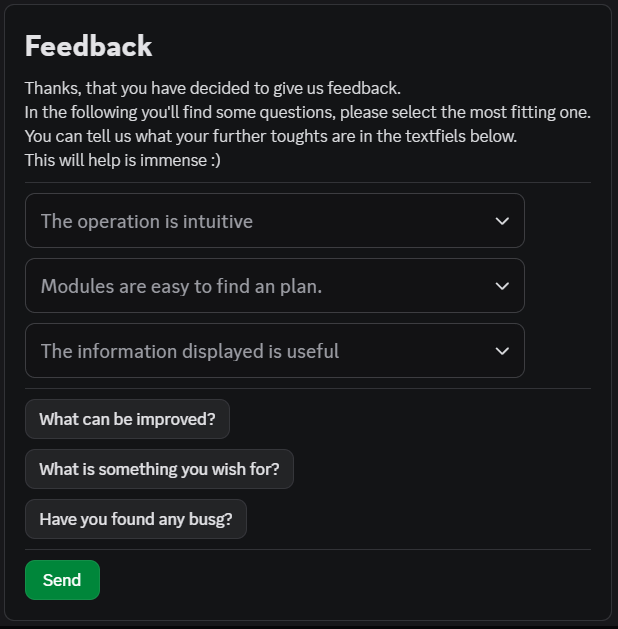
💬 Send Feedback --- Help us improve OSCAR with your suggestions and bug reports.
More commands
| Command | What it does |
|---|---|
/here |
Opens the module the current channel is named after |
/compare |
Puts two or three modules side by side |
/rate, /klausuren |
Ratings and reviews by other students, and the past exam archives |
/progress |
The credit points you planned, against the 30 of a semester |
/suggest |
Modules that fit your programme and your open credit points |
/fristen |
Roughly what is due when in the semester |
/studybuddy |
Find students who plan the same module, opt in only |
/lms, /ansprechpartner |
The university portals, and who to ask |
/my_data |
See, export and delete what OSCAR stores about you |
/help |
Every command explained, in German and English |
Getting Started
Follow these steps to get your personal study assistant running.
To use OSCAR, you need a Discord account. Discord is a free communication platform available on all devices.
Available on:
- 📱 Mobile: iOS, Android, Volla OS and GrapheneOS
- 💻 Computer: Windows, macOS, Linux
- 🌐 Web Browser: discord.com
Set up Discord:
- Already have Discord? → Sign in with your existing account.
- New to Discord? → Create a free account:
- Go to discord.com
- Click "Sign up" and follow the steps
- Verify your email address → Done!
The (unofficial) community for FIN students is the FinEmporium.

Join FinEmporium Discord Server
For more information about FinEmporium, see the FIN-Community Page.
OSCAR is on FinEmporium
OSCAR runs on the FinEmporium server. Join it, type / in any channel and pick a command of OSCAR.
Once you are on the server, you can add your Course of Study and Semester.
Type this command in any text channel:
An interactive setup wizard will guide you through the process.
Three commands are enough for the first day:
Contribute to OSCAR
OSCAR is a Python project. We welcome contributions!
-
Source Code --- Clone the repository and start coding. Go to GitHub
-
Issue Tracker --- Found a bug? Report it or pick up an issue. View Issues
-
Architecture --- Understand the database models and module system. See Developer Guide
The guides have every step. This page only says where to start.
| You want to | Read |
|---|---|
| set the project up on your machine | Setup & Install |
| run the bot in a container | Run It Yourself |
| know how commits, branches and the pipeline work | Git Workflow |
| run and write tests | Testing |
Resources
-
discord.py Docs --- Official library reference for all Discord API interactions. discordpy.readthedocs.io
-
Discord Components --- Reference for buttons, select menus, modals and other UI components. Discord Dev Docs
-
Discord Quick Start --- Getting started guide for building Discord bots. Getting Started
-
Invite OSCAR --- Add the running bot to a server of your own. It also runs on FinEmporium. Invite Bot
View full Developer Guide
OSCAR can be self‑hosted on your own infrastructure. This section gives you everything you need to install, configure and operate the bot as a server admin.
Bot Management & Deployment
Tools and documentation for maintaining OSCAR on your own infrastructure.
OVGU Data Source Dependency
OSCAR currently fetches module data from OVGU's Nextcloud Tables instance. External self-hosting requires either access to the OVGU Nextcloud or setting up a compatible Nextcloud Tables instance with your own module data.
What you need
- a Discord bot token and the ID of your server
- access to the module data in the Nextcloud Tables of the OVGU
- Docker, or Python 3.12 or newer
Where it is explained
| You want to | Read |
|---|---|
| install and configure the bot | Admin Guide |
| run it in a container at home, back it up and harden it | Run It Yourself |
| read the feedback students send | Feedback Review |
| know what is stored about students | Privacy Policy |
Resources
-
Discord Quick Start --- Getting started guide for creating a bot application. Getting Started
-
Invite OSCAR --- Add the running bot to your server. It also runs on FinEmporium. Invite Bot
Quick Links
-
OSCAR-REPO ---
View the source code and contribute.
-
Faculty (FIN) ---
Official website of the Faculty.
-
About OSCAR ---
Team, goals, and timeline.
-
Privacy Policy ---
GDPR compliant data handling.
Contact the Project Authors
If you have questions or need support, reach out to the team: